How to Enable Minimize and Maximize Buttons in Fedora 44 GNOME Desktop
In this guide, we will look at how to enable minimize and maximize buttons in Fedora 44 GNOME desktop. By default, Fedora 44 GNOME does not show minimize and maximize buttons on application windows. The good news is, this is very easy to fix — you just need to install a package called GNOME Tweaks.
Step 1: Install GNOME Tweaks on Fedora 44
Open your terminal and run the following command:
sudo dnf install gnome-tweaksThis will install the GNOME Tweaks package on your Fedora 44 system.
Step 2: Open Tweaks and Enable Window Controls
In the Tweaks window, go to Windows. You will see toggle switches for Minimize and Maximize. Enable both of them.
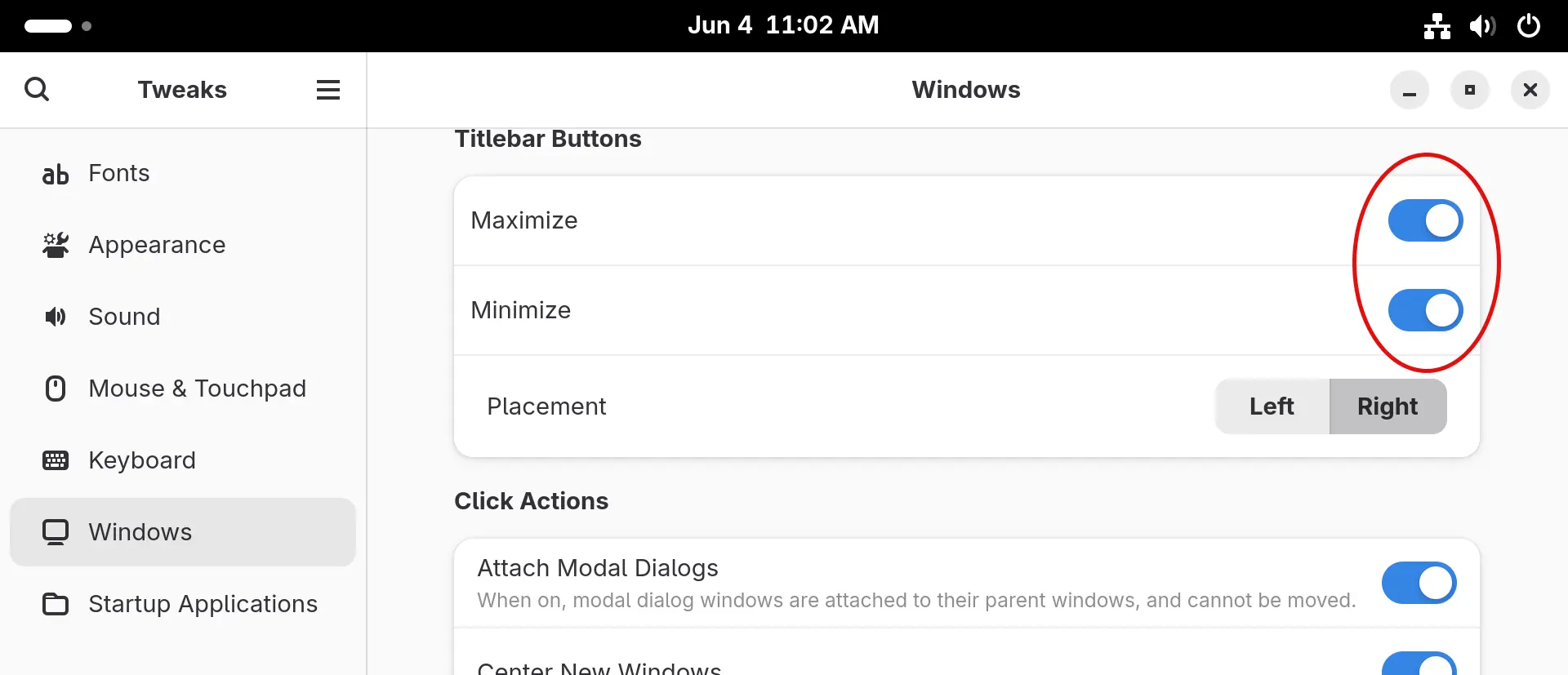
That’s it! Your application windows will now show the minimize and maximize buttons.
More Fedora 44 Desktop Customization Guides
If you want to customize your desktop layout even further, check out our upcoming tutorials:
Why Are Minimize and Maximize Buttons Missing in Fedora 44 GNOME?
GNOME desktop is designed to be minimal. It removes the traditional window buttons — minimize and maximize — by default. This can be confusing, especially if you are coming from Windows or another Linux desktop environment like KDE or XFCE. Fortunately, GNOME Tweaks gives you an easy way to bring them back.